
Company Fields, Financials & Payment Terms
This article covers the layout of a Company record in Prestartr, including the Details, Address, Financials, and Insurances sections. It also explains how company data is populated from external systems such as Jobpac, and how to manage Payment Terms.
Companies List View
Navigate to Companies from the left sidebar to view all company records. The list view shows:
- Company group tabs at the top (All, Clients, Suppliers, Contractors, Partners, etc.) with record counts.
- A sortable table with columns: Name, City, Country, Email, Phone, and Actions (edit/delete).
- Search, Filter, Import/Export, and New Company controls at the top.
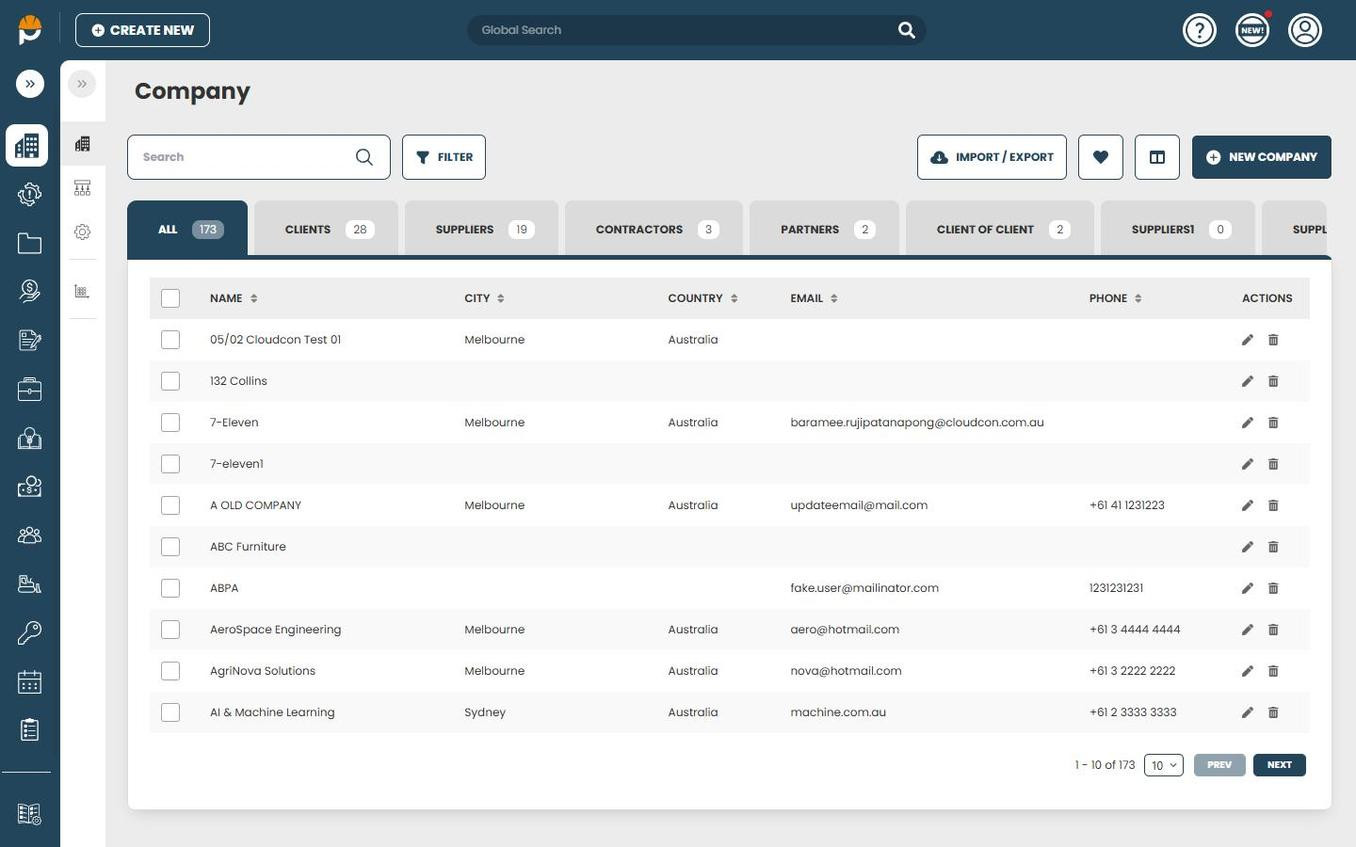
Click on a company name or the Edit icon to open the Company record.
Company Record Layout
A Company record in Prestartr is organised into the following sections:
Details
The top section of the Company record contains core identifying information:
| Field | Description |
|---|---|
| Name | The company or debtor name. |
| ABN | Australian Business Number. When syncing from Jobpac, the source 'ACN' field maps here. |
| Fax | Fax number (optional). |
| Email address | Primary contact email for the company. |
| Phone | Primary phone number. |
| Website | Company website URL. |
| Company Groups | The group(s) the company belongs to (e.g., Clients, Suppliers, Contractors). |
| Client Markup % | Default markup percentage applied to this client. |
| Note | Free-text notes about the company. |
| PO Required | Whether a Purchase Order is required for this company (Yes/No). |
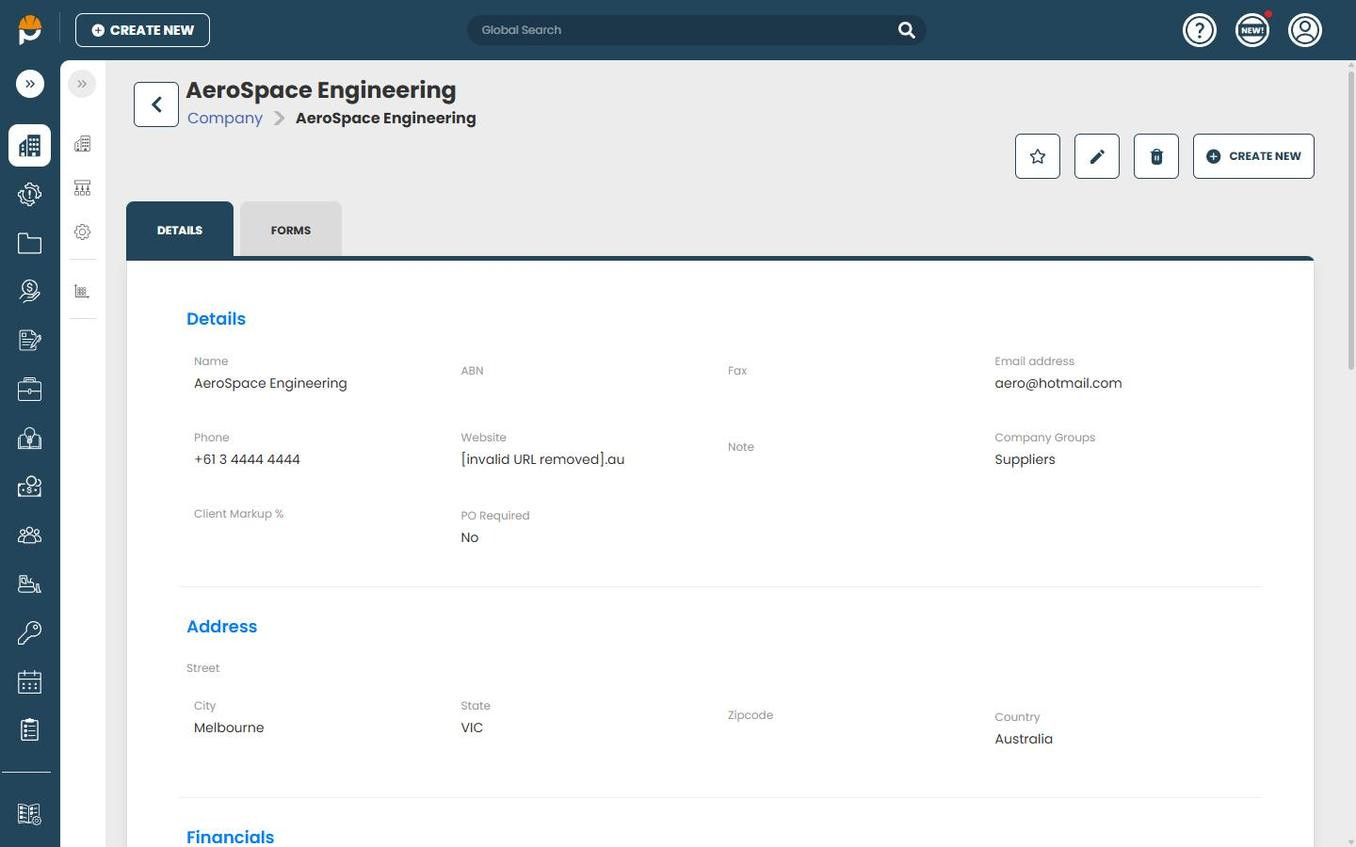
Address
The Address section sits below Details and contains:
- Street
- City
- State
- Zipcode
- Country
Financials
The Financials section appears below the Address section and contains accounting and payment-related fields:
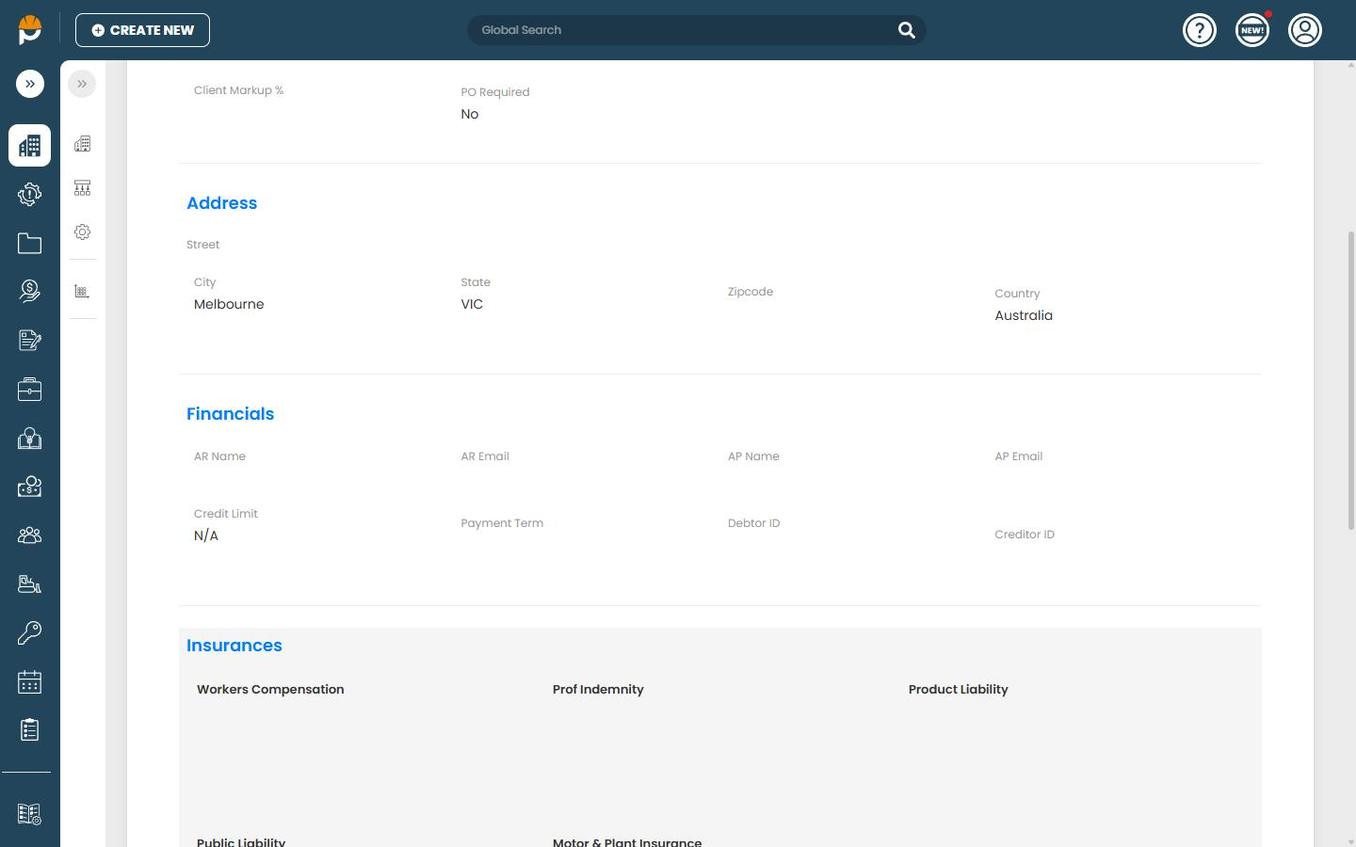
| Field | Description |
|---|---|
| AR Name | Accounts Receivable contact name. |
| AR Email | Accounts Receivable email address. |
| AP Name | Accounts Payable contact name. |
| AP Email | Accounts Payable email address. |
| Credit Limit | Maximum credit amount for this company. Displays "N/A" when not set. |
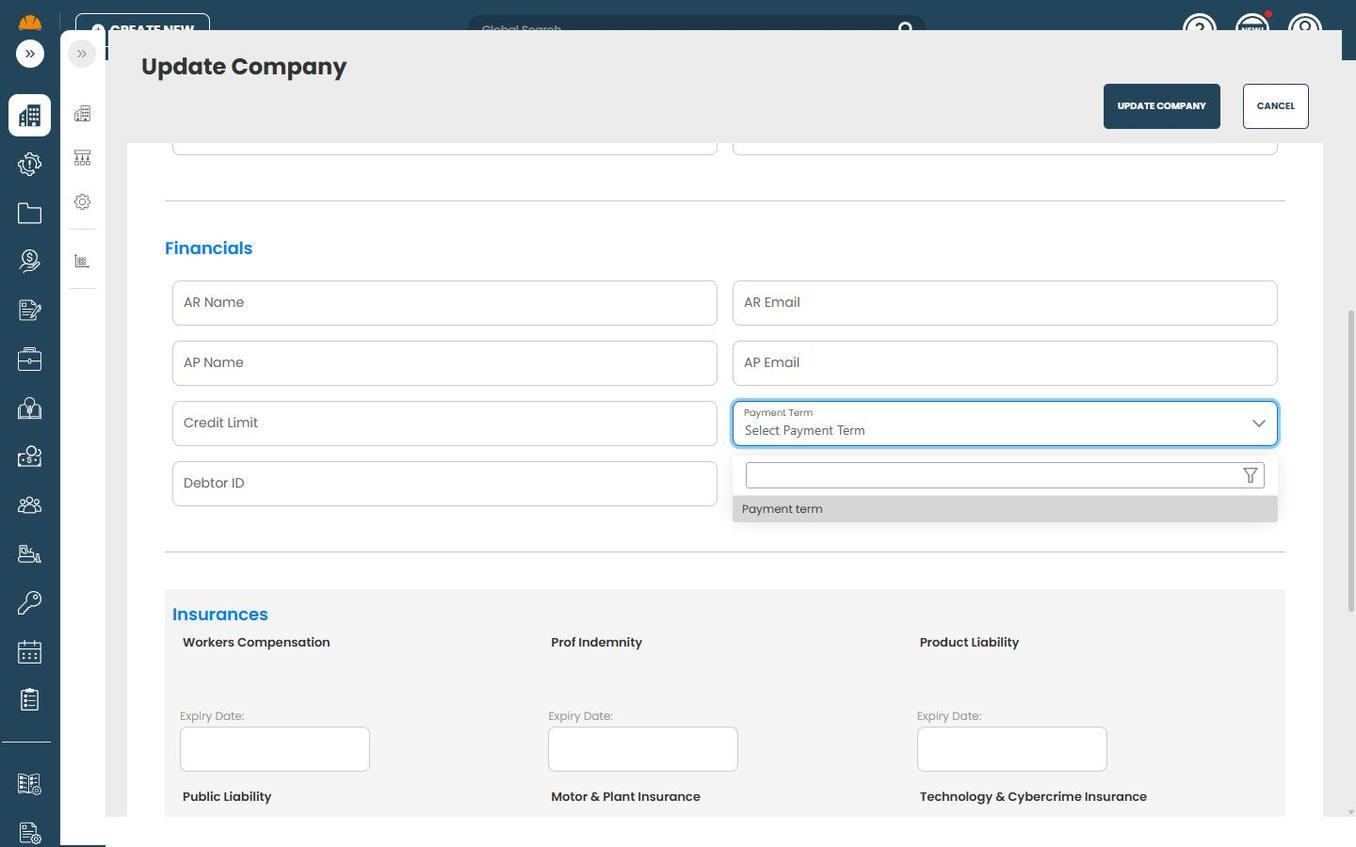
| Payment Term | Dropdown populated from the Payment Terms Catalogue. Determines the payment due date calculation. |
| Debtor ID | Identifier for the company as a debtor (e.g., from Jobpac — a six-character code like E&FPOR, GRAPTY). |
| Creditor ID | Identifier for the company as a creditor/supplier. |
To edit the Financials section, click the Edit icon (pencil) at the top of the Company record. The fields become editable:
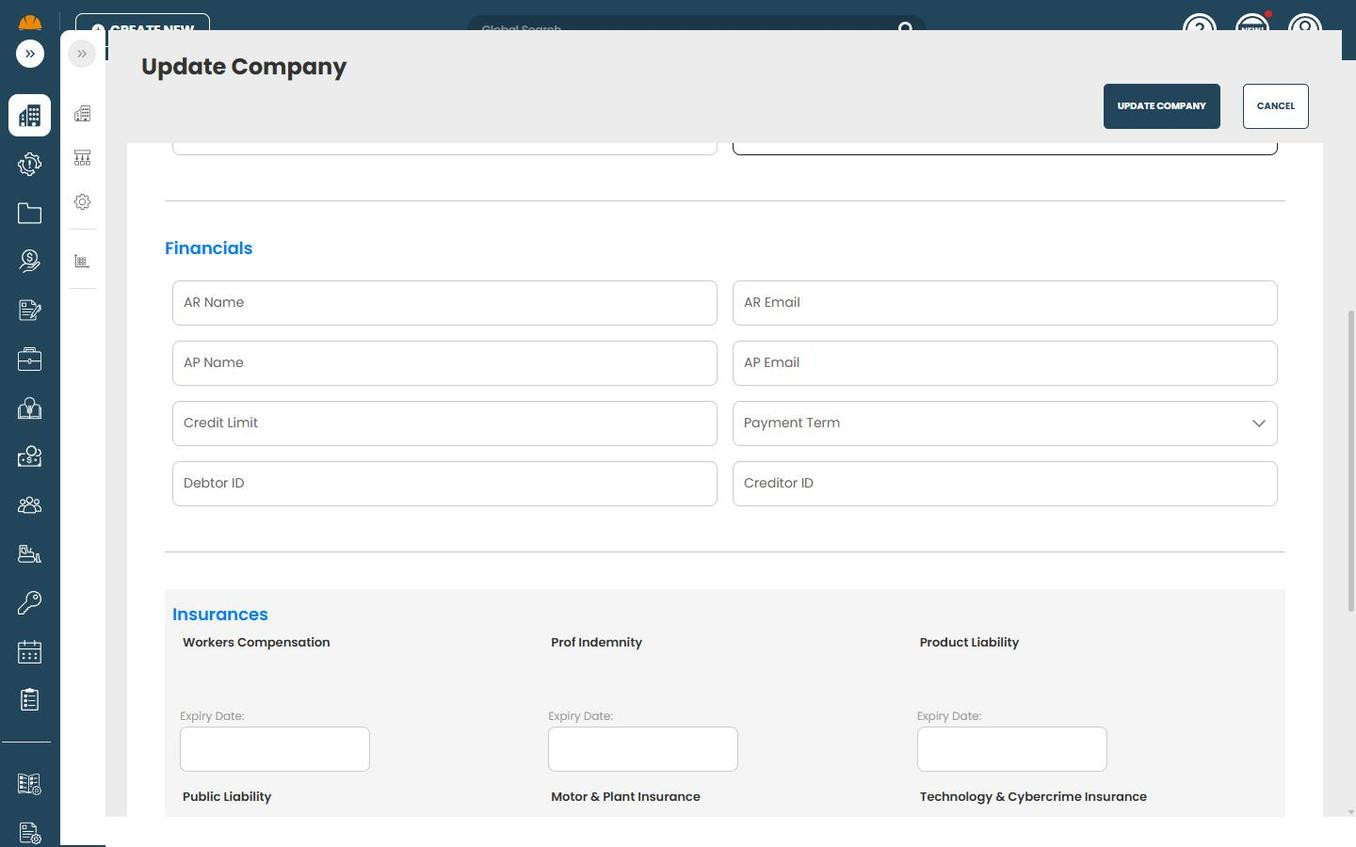
The Payment Term field is a dropdown that lists all terms from the Payment Terms Catalogue. Click the dropdown to search and select the appropriate term:
Click Update Company to save your changes.
Insurances
Below the Financials section, the Insurances section tracks insurance policies and their expiry dates:
- Workers Compensation — Expiry Date
- Prof Indemnity — Expiry Date
- Product Liability — Expiry Date
- Public Liability — Expiry Date
- Motor & Plant Insurance — Expiry Date
- Technology & Cybercrime Insurance — Expiry Date
Other Sections
The Company record also includes:
- Pictures — image attachments linked to the company. Click New to upload or See All to view.
- Files — document attachments. Click New to upload or See All to view.
- Custom Fields — any additional fields configured for your tenant.
- Forms tab — access forms linked to this company (available via the tab at the top of the record alongside Details).
Integration Sync (Jobpac)
When the Jobpac integration is active, the following fields are automatically populated from Jobpac debtor data:
| Jobpac Field | Prestartr Field | Notes |
|---|---|---|
| Company Name | Name (Details) | |
| Company Address | Street, City, State, Zipcode, Country (Address) | |
| ACN | ABN (Details) | Jobpac 'ACN' maps to the Prestartr 'ABN' field. |
| Credit Limit | Credit Limit (Financials) | |
| Payment Terms | Payment Term (Financials) | Matched against the Payment Terms Catalogue. |
| Debtor Email | Email address (Details) | |
| Debtor Code (6-char) | Debtor ID (Financials) | Six-character code (e.g., E&FPOR, GRAPTY). |
Important: The Debtor ID is the primary key used to match Jobpac debtors to Prestartr company records. Ensure this field is correctly maintained in Jobpac to avoid duplicate or mismatched records.